Alienware laptops compared Choose your hardware.
Then your next game.

Three Alienware configurations, from $944.90 to $2,429.99. Compare the screen, GPU and storage before paying for a higher model tier.

Compare 3 configurations
Dark gaming laptop with an abstract display
Dedicated graphics16GB to 32GB RAM3 configurationsAlienware
AI-created concept illustration. Product listings below show retailer images.

By Laptop Den editorial · Updated November 15, 2026

Affiliate disclosure: We may earn a commission if you buy through links on this page. Prices are observed item prices in USD, before any applicable tax or delivery charges. Our comparisons are research-based, with no hands-on testing claims.

THE SHORTLIST

3 best Alienware laptop configurations compared

The Alienware 16 Aurora is our starting point for its middle price and higher-resolution screen. Choose the Alienware 15 to spend less. Investigate the 16X when you can identify a real need for its 32GB RAM, 2TB SSD and higher-tier configuration.

Showing all 3 configurations. Offer information recorded November 4, 2026.

Scores reflect the listed specifications, intended use and recorded offer within this guide. How our scores work.

The details behind your shortlist.

The specifications, trade-offs and reasoning behind each score.

CONFIGURATION 01 / 03

Our middle-price starting point

Alienware 16 Aurora

Core 7 240H / RTX 5050
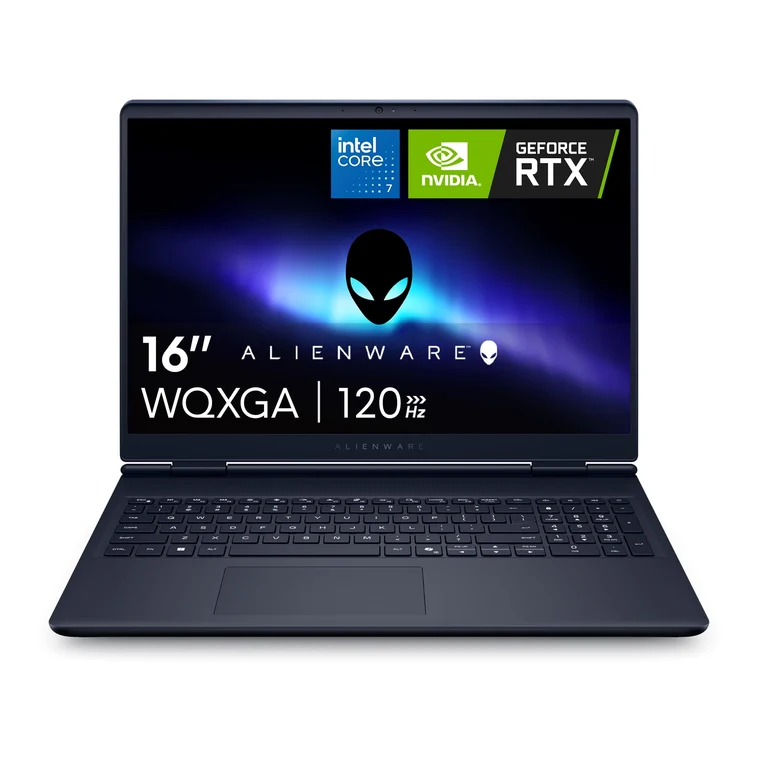
Alienware 16 Aurora product image from the linked listing
Our assessmentHow we assess it
8.1/ 10
Editorial scoreBased on listed specificationsNo hands-on testing
Memory
16GB RAM
Storage
512GB SSD
2560 × 1600 as listed
16-inch · 120Hz
Observed price · $1,099.00
NewWalmart.com · Walmart
View listing at Walmart (opens in a new tab)

Our middle-price starting point

The AC16250 sits between the other two offers on price and has a higher-resolution display than the Alienware 15. We would start here if you want a 16-inch 2560 x 1600 screen without paying for the 16X configuration. The RTX 5050 name identifies the GPU, but it does not establish performance at native resolution in every game.

The combination of a 16:10 screen, 16GB of RAM and a dedicated GPU provides a useful baseline for comparing the two alternatives.

How we assess this configuration

The Aurora 16 provides the most balanced step between these three Alienware offers. Its recorded $1,099 buys a 2560 × 1600 display and dedicated RTX 5050 graphics while keeping 16GB RAM. The $154.10 increase over the Alienware 15 is easier to assess than the much larger 16X jump. A 512GB SSD and 120Hz refresh ceiling remain the visible compromises, and native-resolution gaming still needs exact-model evidence.

This is an editorial assessment of the published specification and offer information recorded November 4, 2026. We have not measured performance, display accuracy, keyboard feel, fan noise or battery life. Confirm the exact model, software support and selected seller's terms before purchasing.

Configuration and purchasing details
Configuration shown
Processor
Core 7 240H
Graphics
RTX 5050
Memory
16GB RAM
Storage
512GB SSD
Display
16-inch 2560 x 1600 / 120Hz
Purchasing details
Listed seller
Walmart.com
Condition
New
Availability & delivery
Check retailer listing
Shipping & tax
Confirm at checkout
Returns & warranty
Check the selected seller's terms

Confirm the selected product, compatibility, seller and final total before ordering.

Offer information recorded Nov 4, 2026: Walmart listing (opens in a new tab). Prices, condition and availability may have changed.

Back to the comparison

CONFIGURATION 02 / 03

The lowest-priced Alienware here

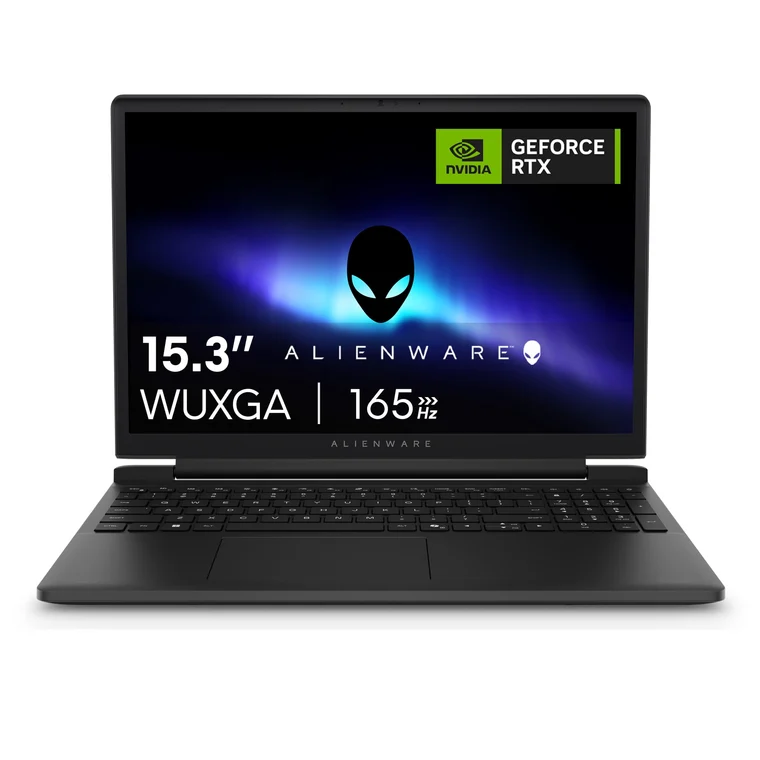
Alienware 15 DA15265

Ryzen 5 220 / RTX 4050

Alienware 15 DA15265 product image from the linked listing
Our assessmentHow we assess it
7.9/ 10
Editorial scoreBased on listed specificationsNo hands-on testing
Memory
16GB RAM
Storage
512GB SSD
1920 × 1200 as listed
15.3-inch · 165Hz
Observed price · $944.90
NewGAMES FOR LESS · Walmart
View listing at Walmart (opens in a new tab)

The lowest-priced Alienware here

The Alienware 15 is the only checked offer below $1,000 in this group. It pairs 16GB of RAM with an RTX 4050 and a 165Hz display, making it the sensible starting point when the purchase price is the main constraint. Its actual panel is 15.3 inches despite the shorter product-family name.

It costs $154.10 less than the Aurora 16 while keeping a 16GB memory allocation.

How we assess this configuration

At the recorded $944.90, this is the accessible entry into the Alienware shortlist. It retains 16GB RAM and a dedicated RTX 4050, so the lower price does not require an 8GB configuration. Its 15.3-inch 1920 × 1200 panel has fewer pixels than both 16-inch alternatives. We value the clear price saving, while leaving actual frame rates and the advantages of its 165Hz display to workload-specific evidence.

This is an editorial assessment of the published specification and offer information recorded November 4, 2026. We have not measured performance, display accuracy, keyboard feel, fan noise or battery life. Confirm the exact model, software support and selected seller's terms before purchasing.

Configuration and purchasing details
Configuration shown
Processor
Ryzen 5 220
Graphics
RTX 4050
Memory
16GB RAM
Storage
512GB SSD
Display
15.3-inch 1920 x 1200 / 165Hz
Purchasing details
Listed seller
GAMES FOR LESS
Condition
New
Availability & delivery
Check retailer listing
Shipping & tax
Confirm at checkout
Returns & warranty
Check the selected seller's terms

Confirm the selected product, compatibility, seller and final total before ordering.

Offer information recorded Nov 4, 2026: Walmart listing (opens in a new tab). Prices, condition and availability may have changed.

Back to the comparison

CONFIGURATION 03 / 03

For a larger memory and storage brief

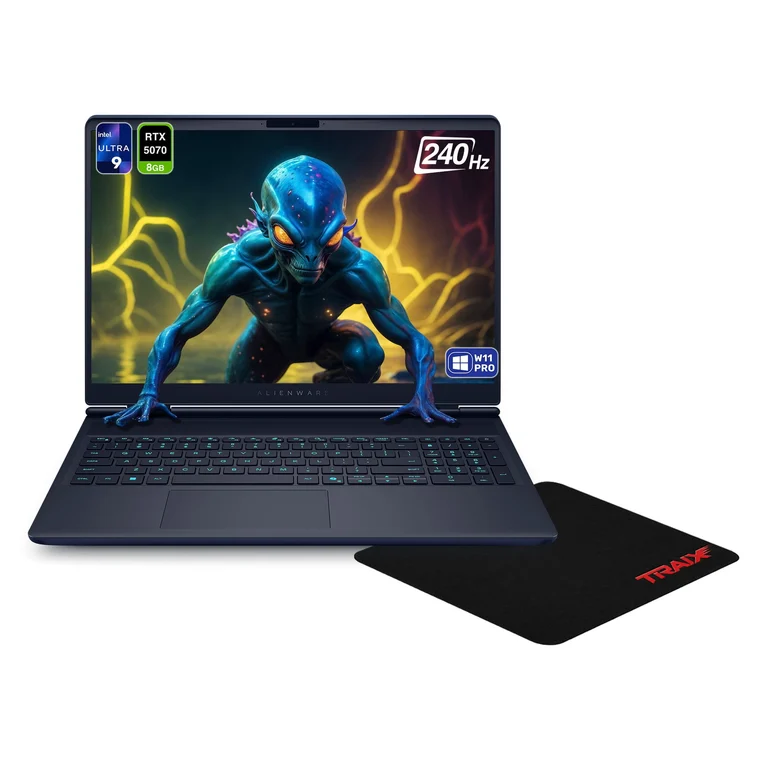
Alienware 16X Aurora

Core Ultra 9 275HX / RTX 5070

Alienware 16X Aurora product image from the linked listing
Our assessmentHow we assess it
7.8/ 10
Editorial scoreBased on listed specificationsNo hands-on testing
Memory
32GB RAM
Storage
2TB SSD
2560 × 1600 as listed
16-inch · 240Hz
Observed price · $2,429.99
NewHubitx · Walmart
View listing at Walmart (opens in a new tab)

For a larger memory and storage brief

The AC16251 offer is a substantial jump in price, with 32GB of memory and a 2TB SSD alongside the RTX 5070. It is relevant if your projects or installed game library justify those capacities. For an ordinary 16GB workload, the extra $1,330.99 over the Aurora 16 needs a more specific reason than the flagship-sounding name.

It doubles the listed memory and quadruples the nominal storage capacity of the other two offers.

How we assess this configuration

The 32GB RAM and 2TB SSD make the 16X materially different from the other two configurations, alongside its RTX 5070 and 240Hz panel. Those gains earn credit, but the recorded $2,429.99 requires a specific capacity or display brief. The price is more than twice the Aurora 16's, so our score weighs that premium and the need to confirm coverage for any seller-installed upgrades.

This is an editorial assessment of the published specification and offer information recorded November 4, 2026. We have not measured performance, display accuracy, keyboard feel, fan noise or battery life. Confirm the exact model, software support and selected seller's terms before purchasing.

Configuration and purchasing details
Configuration shown
Processor
Core Ultra 9 275HX
Graphics
RTX 5070
Memory
32GB RAM
Storage
2TB SSD
Display
16-inch 2560 x 1600 / 240Hz
Purchasing details
Listed seller
Hubitx
Condition
New
Availability & delivery
Check retailer listing
Shipping & tax
Confirm at checkout
Returns & warranty
Check the selected seller's terms

Confirm the selected product, compatibility, seller and final total before ordering.

Offer information recorded Nov 4, 2026: Walmart listing (opens in a new tab). Prices, condition and availability may have changed.

Back to the comparison

BEFORE YOU BUY

Match the machine
to your games.

The display and GPU have to work together. Memory and storage should follow the size of your projects and installed library.

AI-generated editorial image for 3 best Alienware laptop configurations compared
AI-generated editorial image. Product appearance and specifications should be checked against the actual listing.

Decide which resolution you will use

The Alienware 15 lists 1920 x 1200 pixels. Both 16-inch offers list 2560 x 1600. Higher native resolution increases the rendering work, so look for tests at the resolution you plan to play.

Separate refresh rate from frame rate

120Hz, 165Hz and 240Hz describe the displays. Your achieved frame rate depends on the game, settings, GPU power and cooling. A 240Hz panel does not guarantee 240 fps.

Price the capacity you need

The 16X offer has 32GB RAM and a 2TB SSD. The other two have 16GB and 512GB. Check installed game sizes and project requirements before treating the larger configuration as necessary.

Verify the marketplace configuration

The 16X listing is sold by Hubitx. Ask who supplies and supports the listed memory and storage, and confirm warranty coverage for any seller-installed parts.

Budget for desk use

Think about the supplied power adapter, external display connection and physical desk space. We have not measured battery life or noise, so these comparisons do not rank portability or quietness.

OUR APPROACH

How our scores work

A score for the listed product and the needs covered by this guide.

We consider the processor and graphics, memory, storage, display, condition and recorded price. Each product's assessment explains the reasons for its score and the details still needing confirmation.

Scores in the 8s indicate a strong fit on paper within the shortlist. Scores in the 7s reflect meaningful compromises; lower scores flag narrower use cases, weaker value or substantial uncertainty. Scores depend on the guide's purpose and the selected offer, so the same product may score differently in another comparison.

These are editorial judgments based on published information. We have not performed hands-on testing. Offer information was recorded November 4, 2026; current price, seller, condition and availability must be checked.

COMMON QUESTIONS

The details
worth checking.

Which Alienware should I compare first?

Start with the 16 Aurora if you want the middle-priced option and a 2560 x 1600 screen. The Alienware 15 is the lower-cost choice, while the 16X needs a workload that justifies its larger memory, storage and price.

Is there an Alienware under $1,000 here?

The Alienware 15 DA15265 listing was $944.90 from GAMES FOR LESS when checked on November 4, 2026. Tax and delivery can change the total, and the offer may change.

Is the Alienware 15 screen exactly 15 inches?

The mapped DA15265 configuration lists a 15.3-inch panel. Alienware 15 is the family name. Confirm the 1920 x 1200, 165Hz display in the selected configuration.

Does RTX 5070 guarantee better results in every game?

No universal frame-rate ranking follows from the name alone. Compare tests of the exact laptop configuration at matching resolution and settings, including power limits and any upscaling or frame generation.

Is 512GB enough for gaming?

It depends on the installed library. Windows, applications and updates share that capacity with games. Add up the sizes of the games you want installed together before choosing 512GB or paying for 2TB.

Why does the 16X cost so much more?

The mapped offer combines a Core Ultra 9 275HX, RTX 5070, 32GB RAM, 2TB SSD and 240Hz display. Those are configuration differences, not proof that every buyer will benefit enough to justify $2,429.99.

Will another Aurora listing have these specifications?

Not necessarily. The AC16250 family has several selectable configurations. Match the GPU, memory, storage and display rather than the family name alone. The Dell Aurora configuration page shows why that distinction matters.

Are these hands-on gaming reviews?

No. We compared the mapped retailer configurations with available manufacturer information. We have not measured gaming performance, battery runtime, thermals or noise.

A PLACE TO START

Alienware 16 Aurora

8.1/10Balanced Alienware starting point

The Alienware 16 Aurora is our starting point for its middle price and higher-resolution screen. Choose the Alienware 15 to spend less. Investigate the 16X when you can identify a real need for its 32GB RAM, 2TB SSD and higher-tier configuration.

Review the configuration
Alienware 16 Aurora