Best laptop for Photoshop compared by configuration Space for your layers.
Clarity for your decisions.

Compare three Photoshop laptop configurations by RAM, display and graphics. Choose between 32GB memory, a dedicated GPU and a larger convertible screen.

Compare 3 configurations
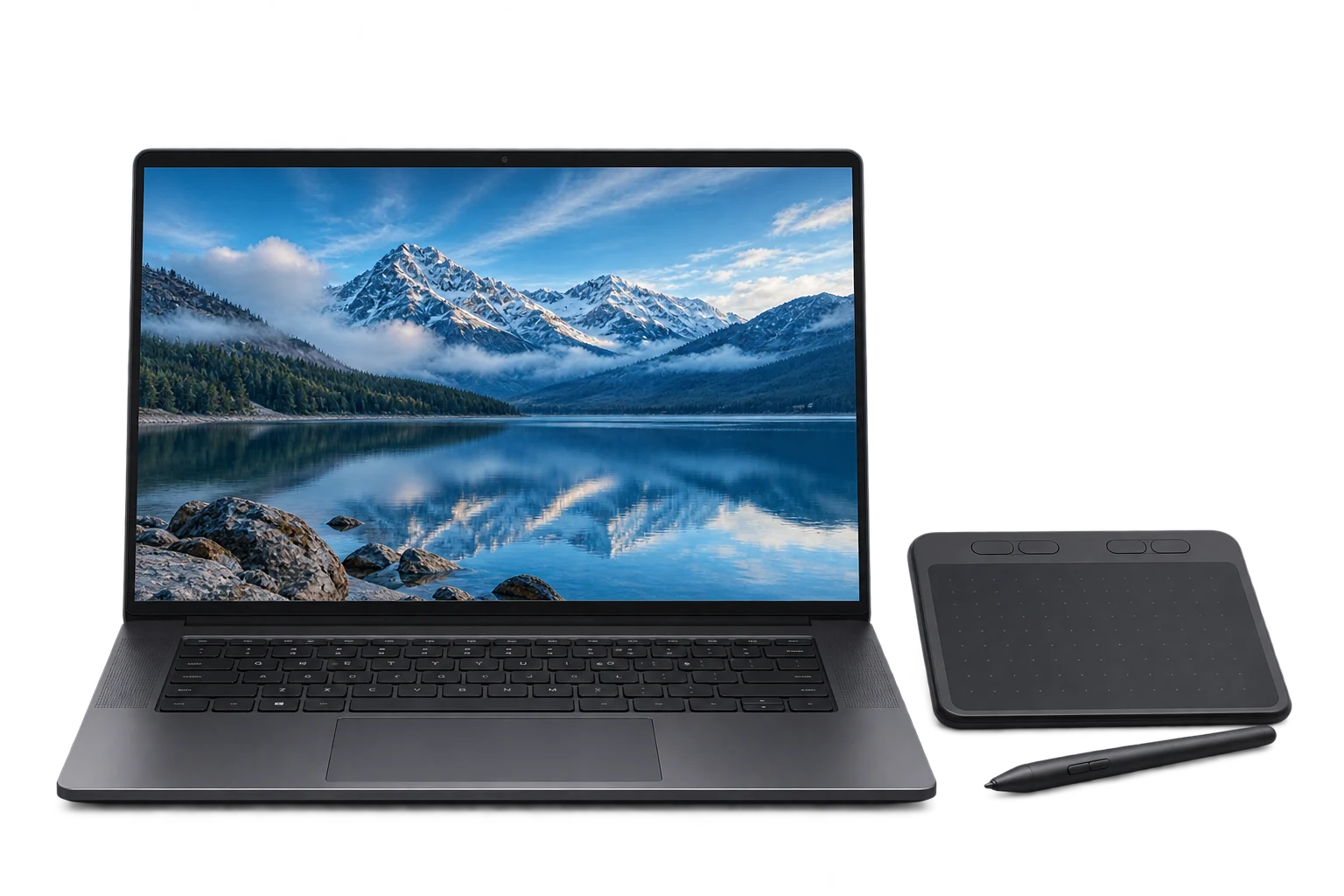
Concept illustration: Creator laptop showing mountains beside a graphics tablet and stylus
16GB to 32GB RAM1TB SSDsOLED or IPSWorkload-led choice
AI-created concept illustration. Product listings below show retailer images.

By Laptop Den editorial · Updated November 15, 2026

Affiliate disclosure: We may earn a commission if you buy through links on this page. Prices are observed item prices in USD, before any applicable tax or delivery charges. Our comparisons are research-based, with no hands-on testing claims.

THE SHORTLIST

Best laptop for Photoshop compared by configuration

Start with the Zenbook's 32GB allocation if your priority is memory for editing. The Acer is the more relevant comparison for a dedicated GPU, while the Yoga suits someone who values a larger convertible display.

Showing all 3 configurations. Offer information recorded November 4, 2026.

Scores reflect the listed specifications, intended use and recorded offer within this guide. How our scores work.

The details behind your shortlist.

The specifications, trade-offs and reasoning behind each score.

CONFIGURATION 01 / 03

Our memory-first starting point

ASUS Zenbook 14 OLED

Ryzen AI 7 445 / integrated graphics
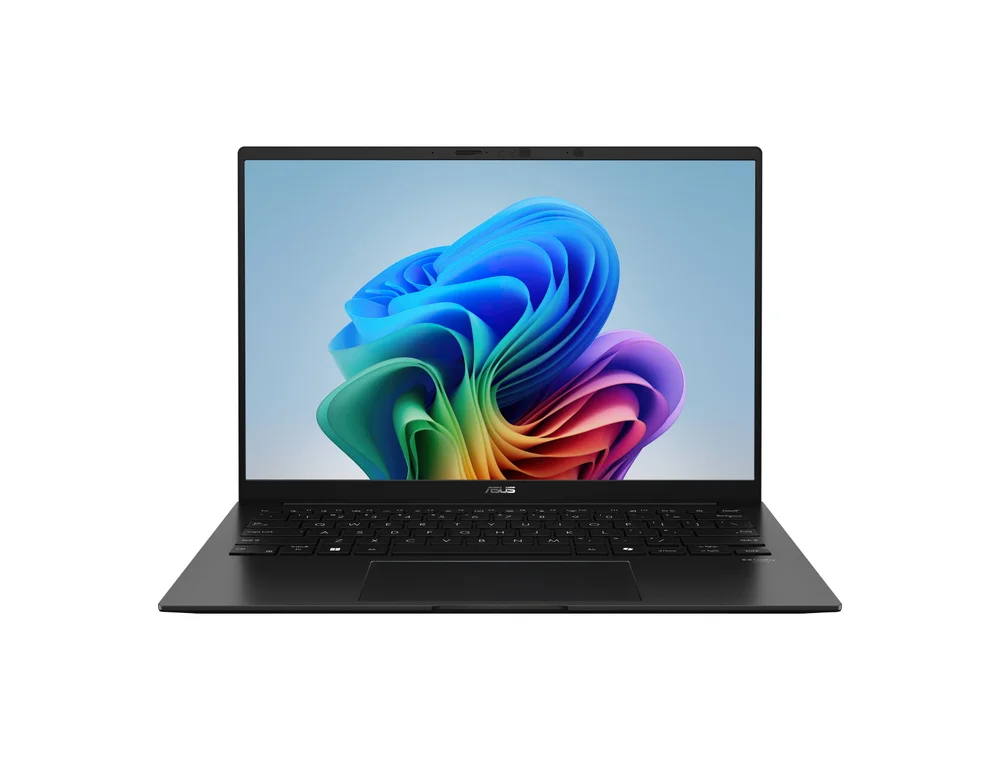
ASUS Zenbook 14 OLED product image from the linked listing
Our assessmentHow we assess it
8.3/ 10
Editorial scoreBased on listed specificationsNo hands-on testing
Memory
32GB RAM
Project storage
1TB SSD
WUXGA touch display
14-inch OLED
Observed price · $1,199.00
NewWalmart.com · Walmart
View listing at Walmart (opens in a new tab)

Our memory-first starting point

The Zenbook is the memory-first option for a Photoshop shortlist. Its 32GB allocation gives more working room than the two 16GB entries when documents and other applications are open together. The 1TB SSD is also useful for local projects, though a backup remains separate from working storage.

It combines the largest RAM allocation here with OLED and touch input in a 14-inch format.

How we assess this configuration

We score the Zenbook 8.3/10 within this Photoshop shortlist because its 32GB memory allocation addresses a practical editing constraint while keeping a 1TB SSD at the observed $1,199 price. It is our starting point for memory-heavy work. The score stops short of a stronger recommendation because integrated graphics and the 1920 × 1200 display need to suit your workflow; OLED alone does not establish calibrated color accuracy.

This is an editorial assessment of the published specification and offer information recorded November 4, 2026. We have not measured performance, display accuracy, keyboard feel, fan noise or battery life. Confirm the exact model, software support and selected seller's terms before purchasing.

Configuration and purchasing details
Configuration shown
Processor / graphics
Ryzen AI 7 445 / integrated graphics
Memory
32GB RAM
Storage
1TB SSD
Display
14-inch WUXGA OLED touch
Condition
New
Purchasing details
Listed seller
Walmart.com
Condition
New
Availability & delivery
Check retailer listing
Shipping & tax
Confirm at checkout
Returns & warranty
Check the selected seller's terms

Confirm the selected product, compatibility, seller and final total before ordering.

Offer information recorded Nov 4, 2026: Walmart listing (opens in a new tab). Prices, condition and availability may have changed.
Back to the comparison

CONFIGURATION 02 / 03

Dedicated graphics for mixed creative work

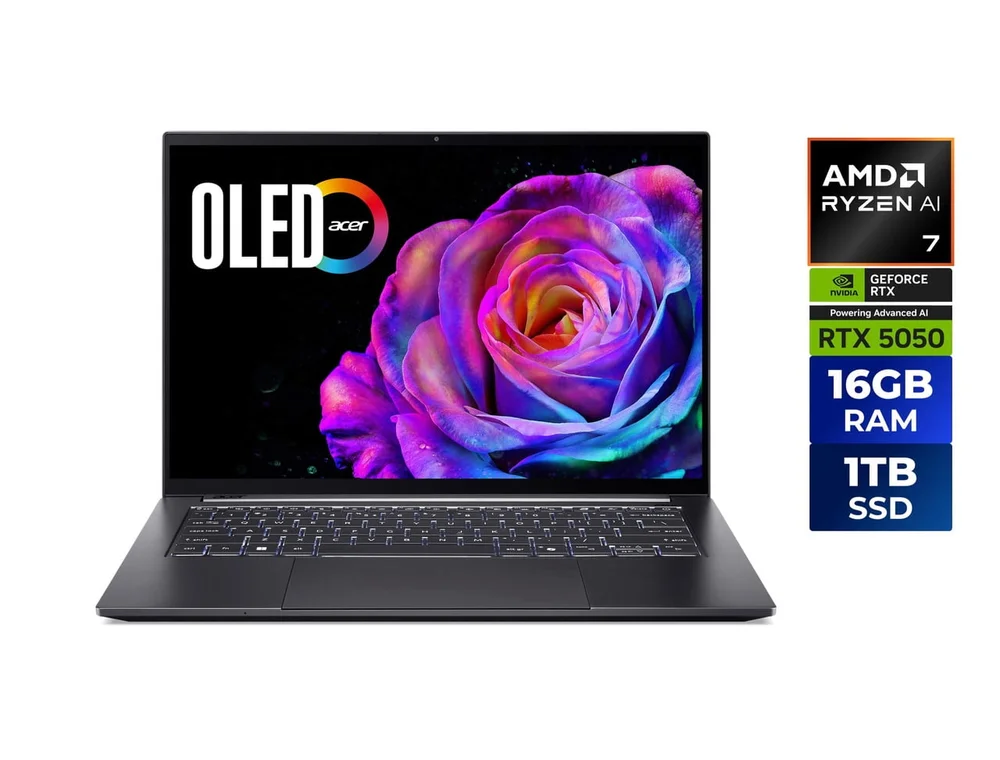
Acer Swift X 14 AI SFX14-61G-R9QE

Ryzen AI 7 350 / RTX 5050 8GB

Acer Swift X 14 AI SFX14-61G-R9QE product image from the linked listing
Our assessmentHow we assess it
8.0/ 10
Editorial scoreBased on listed specificationsNo hands-on testing
Onboard memory
16GB RAM
Listed dedicated graphics
RTX 5050 8GB
14.5-inch OLED touch
2880 × 1800
Observed price · $1,299.99
NewNewegg Inc. · Walmart
View listing at Walmart (opens in a new tab)

Dedicated graphics for mixed creative work

The Swift X adds an RTX 5050 laptop GPU and a higher-resolution OLED screen. That is relevant if Photoshop shares the machine with other GPU-dependent creative tools. It is not proof that every Photoshop operation will finish faster than on the 32GB Zenbook.

A dedicated GPU and 2880 x 1800 panel are the clearest reasons to compare this exact configuration.

How we assess this configuration

The Acer earns 8.0/10 for offering the clearest dedicated-graphics specification and highest-resolution display here at an observed $1,299.99. Those are meaningful distinctions when Photoshop shares the laptop with other creative applications. Its 16GB onboard memory limits the balance for large-document workflows compared with the 32GB Zenbook. The assessment rewards the published GPU and screen specifications without assuming faster editing, measured color accuracy or memory expansion.

This is an editorial assessment of the published specification and offer information recorded November 4, 2026. We have not measured performance, display accuracy, keyboard feel, fan noise or battery life. Confirm the exact model, software support and selected seller's terms before purchasing.

Configuration and purchasing details
Configuration shown
Processor / graphics
Ryzen AI 7 350 / RTX 5050 8GB
Memory
16GB RAM
Storage
1TB SSD
Display
14.5-inch 2880 x 1800 OLED touch
Condition
New
Purchasing details
Listed seller
Newegg Inc.
Condition
New
Availability & delivery
Check retailer listing
Shipping & tax
Confirm at checkout
Returns & warranty
Check the selected seller's terms

Confirm the selected product, compatibility, seller and final total before ordering.

Offer information recorded Nov 4, 2026: Walmart listing (opens in a new tab). Prices, condition and availability may have changed.

Back to the comparison

CONFIGURATION 03 / 03

A larger convertible workspace

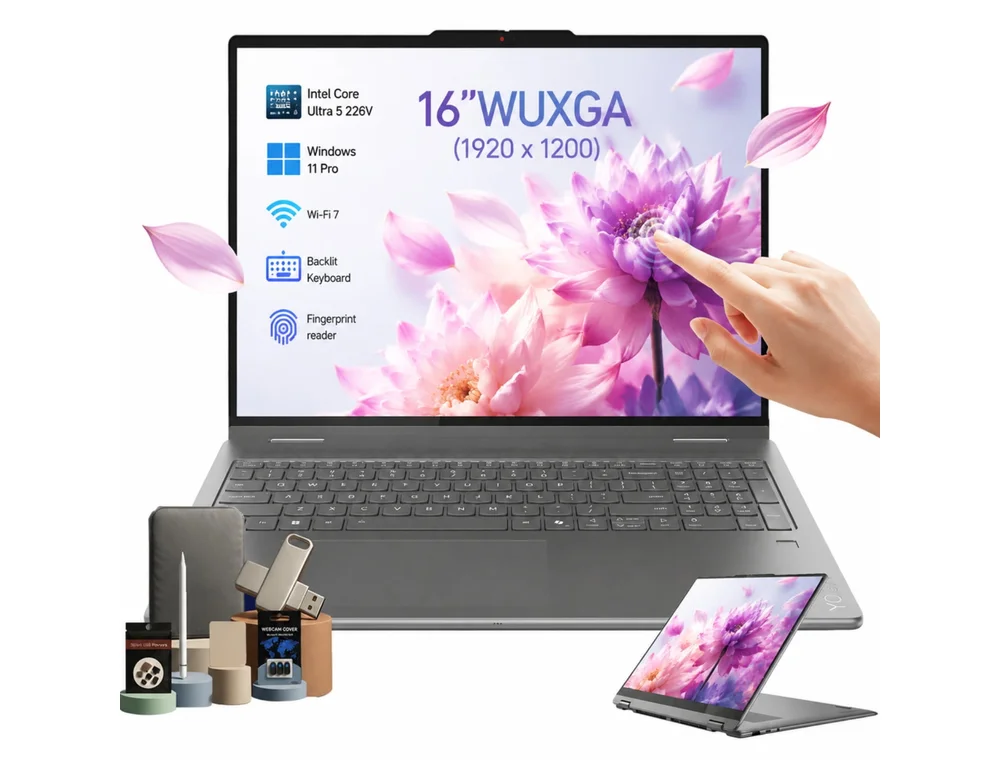
Lenovo Yoga 7i 16

Core Ultra 5 226V / integrated graphics

Lenovo Yoga 7i 16 product image from the linked listing
Our assessmentHow we assess it
7.4/ 10
Editorial scoreBased on listed specificationsNo hands-on testing
Memory
16GB RAM
Project storage
1TB SSD
WUXGA touch display
16-inch IPS
Observed price · $1,143.00
NewOpuSale · Walmart
View listing at Walmart (opens in a new tab)

A larger convertible workspace

The Yoga is the larger-screen alternative for someone who wants a convertible working arrangement. Its 16-inch display makes menus and panels physically larger, but the WUXGA resolution does not add as many pixels as the Acer. Confirm the exact pen support if direct annotation is part of your workflow.

The 1TB SSD matches the two smaller machines, with a larger touch workspace and Windows 11 Pro in the listing.

How we assess this configuration

We give the Yoga 7.4/10 for its larger convertible workspace and 1TB SSD at the observed $1,143 price. That combination is relevant when screen size and flexible positioning matter more than maximizing memory or graphics. It has half the Zenbook's RAM and fewer display pixels than the Acer. The score also leaves pen inclusion and color suitability unresolved; neither touch input nor the Pro operating system proves a better Photoshop experience.

This is an editorial assessment of the published specification and offer information recorded November 4, 2026. We have not measured performance, display accuracy, keyboard feel, fan noise or battery life. Confirm the exact model, software support and selected seller's terms before purchasing.

Configuration and purchasing details
Configuration shown
Processor / graphics
Core Ultra 5 226V / integrated graphics
Memory
16GB RAM
Storage
1TB SSD
Display
16-inch WUXGA IPS touch
Condition
New
Purchasing details
Listed seller
OpuSale
Condition
New
Availability & delivery
Check retailer listing
Shipping & tax
Confirm at checkout
Returns & warranty
Check the selected seller's terms

Confirm the selected product, compatibility, seller and final total before ordering.

Offer information recorded Nov 4, 2026: Walmart listing (opens in a new tab). Prices, condition and availability may have changed.

Back to the comparison

BEFORE YOU BUY

Build around
your actual files.

A Photoshop laptop needs to suit your document sizes, other applications and color workflow.

AI-generated editorial image for Best laptop for Photoshop compared by configuration
AI-generated editorial image. Product appearance and specifications should be checked against the actual listing.

Start with memory and working space

Compare your workload with Adobe's current Photoshop requirements. The Zenbook has 32GB, while the Acer and Yoga list 16GB. Large documents and simultaneous applications can make memory more important than a processor label. Check whether memory is fixed before planning an upgrade.

Separate pixels from color accuracy

The Acer's 2880 x 1800 panel has more pixels than the WUXGA options. That does not prove its color accuracy in your environment. For print or client work, check gamut coverage, calibration options and the complete workflow rather than choosing on OLED alone.

Decide whether a dedicated GPU helps

The Acer includes an RTX 5050, while the other two use integrated graphics. Photoshop features and other creative applications place different demands on the GPU. Review requirements for the features you use rather than assuming a gaming-class GPU improves every action.

Plan project storage and backup

All three list 1TB SSDs. Keep space available for working files and scratch-disk use, with a separate backup for finished projects. If higher resolution is essential, compare the 4K laptop guide. For folding formats, see Lenovo 2-in-1 options.

OUR APPROACH

How our scores work

A score for the listed product and the needs covered by this guide.

We consider the processor and graphics, memory, storage, display, condition and recorded price. Each product's assessment explains the reasons for its score and the details still needing confirmation.

Scores in the 8s indicate a strong fit on paper within the shortlist. Scores in the 7s reflect meaningful compromises; lower scores flag narrower use cases, weaker value or substantial uncertainty. Scores depend on the guide's purpose and the selected offer, so the same product may score differently in another comparison.

These are editorial judgments based on published information. We have not performed hands-on testing. Offer information was recorded November 4, 2026; current price, seller, condition and availability must be checked.

COMMON QUESTIONS

The details
worth checking.

Which configuration is the Photoshop starting point?

We would first compare the 32GB Zenbook for a memory-focused Photoshop workload. Choose the Acer when its dedicated GPU and higher-resolution display meet a defined need. The Yoga offers a larger convertible workspace rather than the most memory.

Is 16GB RAM enough for Photoshop?

Adobe lists 16GB or more as recommended, but your document sizes and other running applications matter. A 16GB configuration is not a promise of smooth handling for every layered project. Consider the 32GB option if your workload regularly stretches memory. See Adobe's requirements.

Do I need an RTX GPU for photo editing?

Not every photo-editing workflow requires a dedicated RTX GPU. Check the requirements of the features you use and any companion applications. The Acer's GPU is a reason to investigate it, not evidence that every Photoshop operation beats the other machines.

Does an OLED screen guarantee accurate colors?

No. OLED describes display technology, while color accuracy depends on the panel, settings and calibration. Ask for the exact screen specification and use an appropriate color-managed workflow. We have not measured these displays or claimed a calibration result.

Can I draw directly on the Yoga screen?

Check the exact model's active-pen compatibility and whether a suitable pen is included. Touch input alone does not answer either question. A larger convertible may be useful for annotation, but pen feel and application behavior still deserve a separate check.

Is a 1TB SSD enough for a photo library?

It depends on file sizes, project count and how much you keep locally. Leave free space for the operating system, applications and working files. Store backups separately rather than treating a large internal SSD as protection against data loss.

A PLACE TO START

ASUS Zenbook 14 OLED

8.3/10A memory-first editing choice

Start with the Zenbook's 32GB allocation if your priority is memory for editing. The Acer is the more relevant comparison for a dedicated GPU, while the Yoga suits someone who values a larger convertible display.

Review the configuration
ASUS Zenbook 14 OLED