Laptops for kids with school and app checks Ready for schoolwork.
Chosen around their needs.

Compare three entry-level laptops for kids across ChromeOS and Windows. Check school apps, update support, storage and the limits of 4GB RAM.

Compare 3 configurations
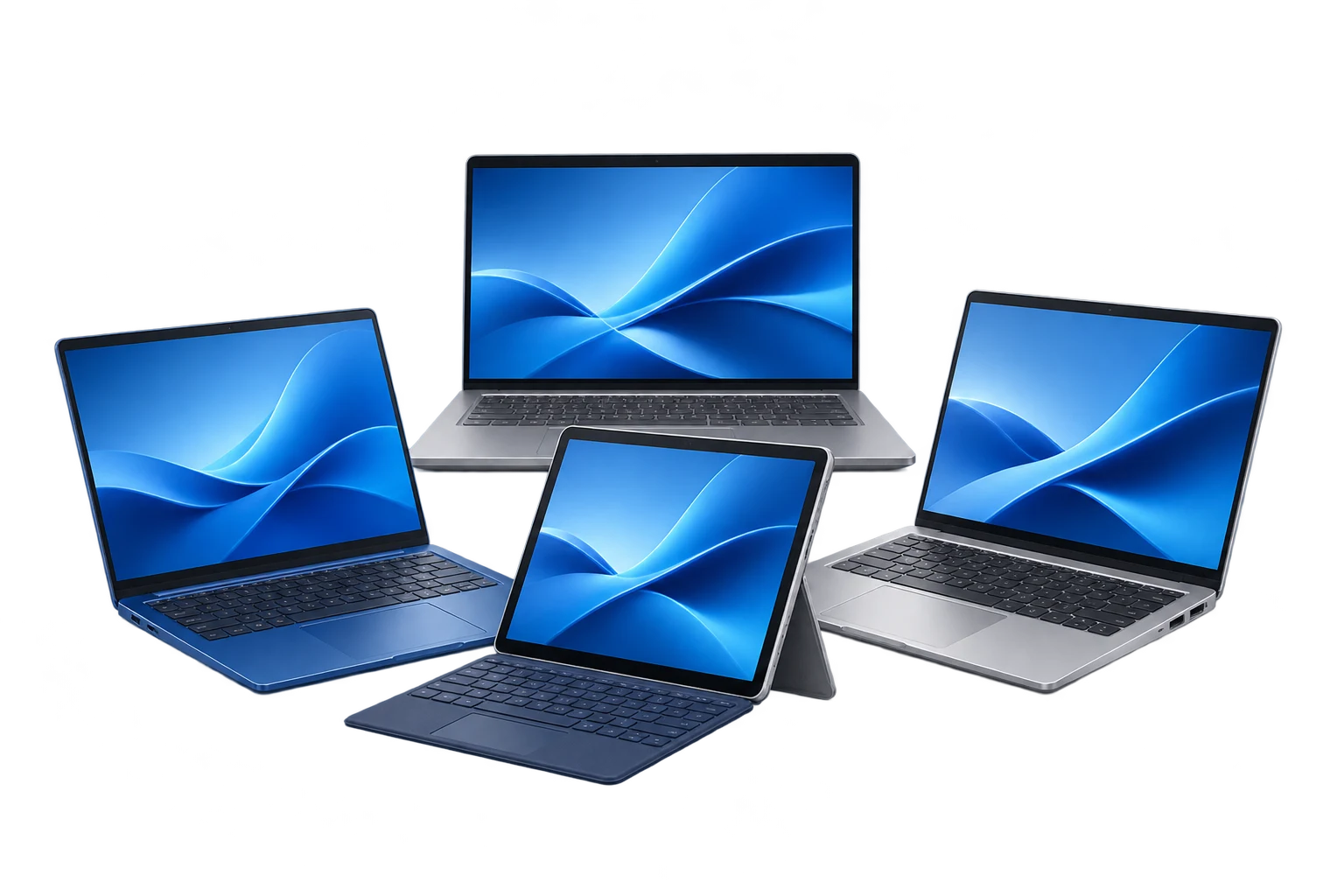
Small laptops and a detachable tablet with blue screens
School apps firstChromeOS or Windows4GB limitationsCheck update dates
AI-created concept illustration. Product listings below show retailer images.

By Laptop Den editorial · Updated November 15, 2026

Affiliate disclosure: We may earn a commission if you buy through links on this page. Prices are observed item prices in USD, before any applicable tax or delivery charges. Our comparisons are research-based, with no hands-on testing claims.

THE SHORTLIST

Laptops for kids with school and app checks

The Duet 5 is a useful browser-based study candidate after school-app and update checks. Choose the HP when a suitable Windows application requires it. Compare higher-memory alternatives if the workload is more than modest.

Showing all 3 configurations. Offer information recorded November 4, 2026.

Scores reflect the listed specifications, intended use and recorded offer within this guide. How our scores work.

The details behind your shortlist.

The specifications, trade-offs and reasoning behind each score.

CONFIGURATION 01 / 03

Detachable screen for browser-based study

Lenovo IdeaPad Duet 5 Chromebook

Snapdragon SC7180 / ChromeOS
Lenovo IdeaPad Duet 5 Chromebook product image from the linked listing
Our assessmentHow we assess it
7.4/ 10
Editorial scoreBased on listed specificationsNo hands-on testing
Memory
4GB RAM
Storage
128GB eMMC
Listed FHD touchscreen
13.3-inch OLED
Observed price · $279.90
NewGAMES FOR LESS · Walmart
View listing at Walmart (opens in a new tab)

Detachable screen for browser-based study

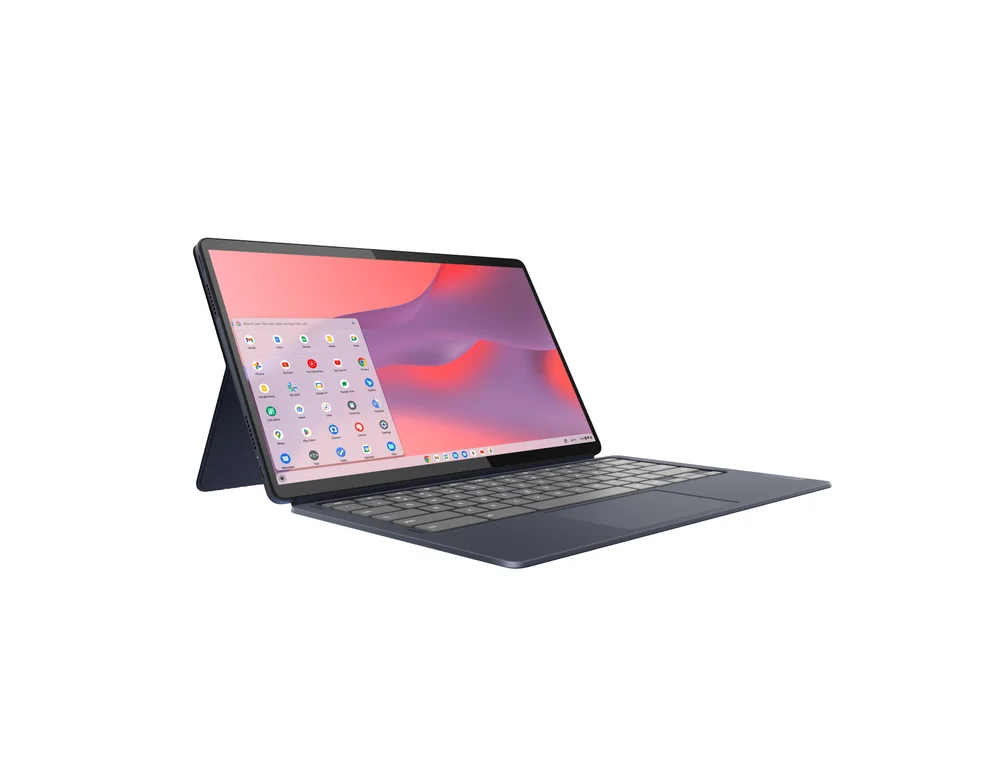
The Duet 5 offers a detachable keyboard and OLED touchscreen for a child whose school workflow runs in ChromeOS. It is our starting point only after checking school requirements and the remaining update period. Its 4GB memory allocation calls for modest expectations about heavy multitasking.

The detachable format supports reading and video lessons without keeping the keyboard attached.

How we assess this configuration

The recorded $279.90 buys a detachable format and FHD OLED touchscreen at less than the other Chromebook in this group. Its 128GB storage is also more generous than the CZ12's listed capacity. We score it for a modest ChromeOS school workflow, with the 4GB RAM limiting heavier multitasking. The keyboard bundle and automatic-update period need checking before its flexible design becomes a dependable purchase recommendation.

This is an editorial assessment of the published specification and offer information recorded November 4, 2026. We have not measured performance, display accuracy, keyboard feel, fan noise or battery life. Confirm the exact model, software support and selected seller's terms before purchasing.

Configuration and purchasing details
Configuration shown
Processor
Snapdragon SC7180
Graphics / platform
ChromeOS
Memory
4GB RAM
Storage
128GB eMMC
Display
13.3-inch FHD OLED touch
Purchasing details
Listed seller
GAMES FOR LESS
Condition
New
Availability & delivery
Check retailer listing
Shipping & tax
Confirm at checkout
Returns & warranty
Check the selected seller's terms

Confirm the selected product, compatibility, seller and final total before ordering.

Offer information recorded Nov 4, 2026: Walmart listing (opens in a new tab). Prices, condition and availability may have changed.

Back to the comparison

CONFIGURATION 02 / 03

Smaller Chromebook with limited local storage

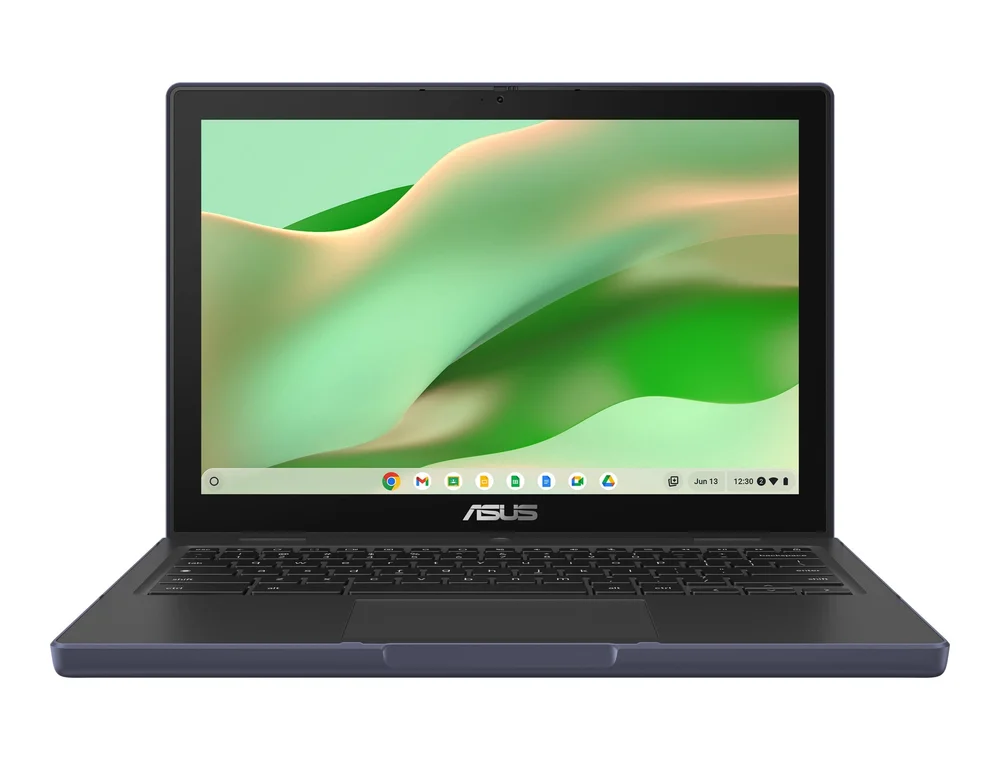
ASUS Chromebook CZ12

ARM Cortex-A76 platform / ChromeOS

ASUS Chromebook CZ12 product image from the linked listing
Our assessmentHow we assess it
6.3/ 10
Editorial scoreBased on listed specificationsNo hands-on testing
Memory
4GB RAM
Storage
32GB storage
Listed compact display
12.2-inch touch
Observed price · $409.99
NewNewegg Inc. · Walmart
View listing at Walmart (opens in a new tab)

Smaller Chromebook with limited local storage

The CZ12 is the smaller-screen option, but it costs more than the Duet and has much less local storage. Its value must come from the exact design and suitability for a school requirement. Check the full CZ1204CM2A-YZ42T specification instead of assuming that every education-focused model includes the same protection or accessories.

The smaller display format may suit a compact school workspace when the keyboard is comfortable for the child.

How we assess this configuration

The smaller 12.2-inch format may fit a particular school setup, but the recorded $409.99 is substantially above the Duet while providing only 32GB of storage. Both configurations have 4GB RAM. That puts the burden on the exact CZ12 design, support period or school requirements to justify the price. We keep the score cautious until those needs and the complete model specification have been matched.

This is an editorial assessment of the published specification and offer information recorded November 4, 2026. We have not measured performance, display accuracy, keyboard feel, fan noise or battery life. Confirm the exact model, software support and selected seller's terms before purchasing.

Configuration and purchasing details
Configuration shown
Processor
ARM Cortex-A76 platform
Graphics / platform
ChromeOS
Memory
4GB RAM
Storage
32GB storage
Display
12.2-inch touchscreen
Purchasing details
Listed seller
Newegg Inc.
Condition
New
Availability & delivery
Check retailer listing
Shipping & tax
Confirm at checkout
Returns & warranty
Check the selected seller's terms

Confirm the selected product, compatibility, seller and final total before ordering.

Offer information recorded Nov 4, 2026: Walmart listing (opens in a new tab). Prices, condition and availability may have changed.

Back to the comparison

CONFIGURATION 03 / 03

Lower-priced Windows option

HP 14-ep2111wm

Intel N150 / Windows 11

HP 14-ep2111wm product image from the linked listing
Our assessmentHow we assess it
6.9/ 10
Editorial scoreBased on listed specificationsNo hands-on testing
Memory
4GB RAM
Storage
128GB storage
Listed Windows configuration
14-inch HD
Observed price · $199.00
NewWalmart.com · Walmart
View listing at Walmart (opens in a new tab)

Lower-priced Windows option

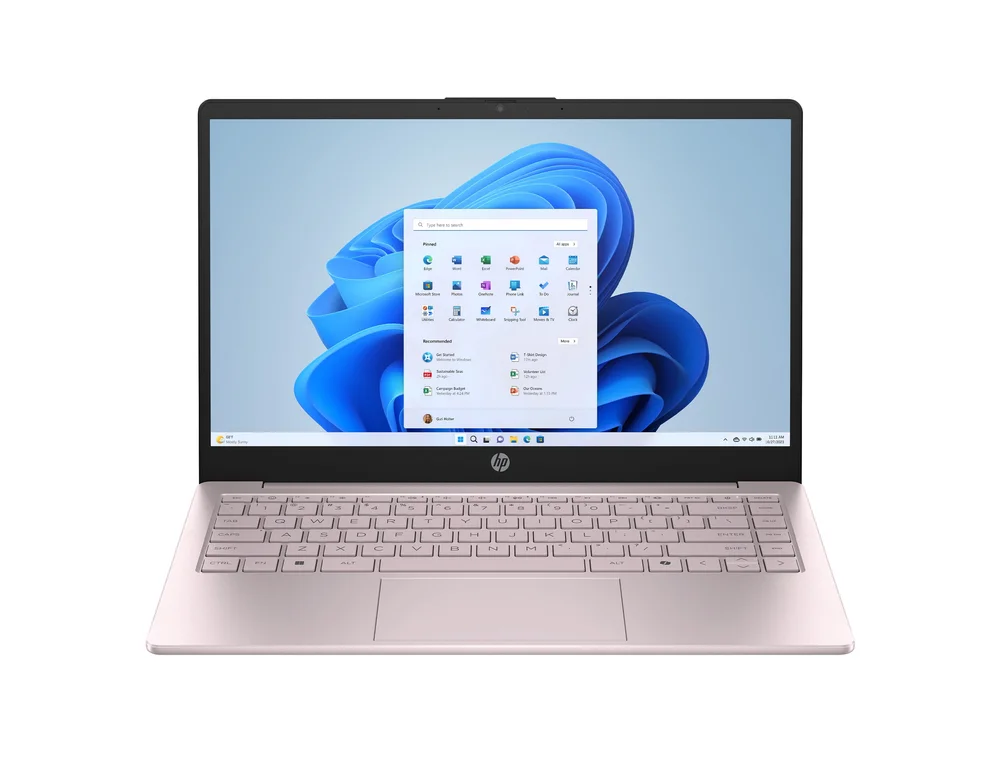
The pink HP is the lowest-priced option and the only Windows laptop in this trio. That is relevant when a school requires a Windows application, but 4GB of RAM remains a significant limit. Check the exact software before treating operating-system compatibility as proof that it will run comfortably.

A conventional keyboard layout and Windows environment may match an existing school workflow.

How we assess this configuration

At the recorded $199, the HP makes a Windows environment available for considerably less than either Chromebook. That can be decisive when school software requires it. The 4GB RAM and HD screen still constrain the overall proposition, and compatibility alone does not establish comfortable performance. Its score assumes a modest verified application list, with S mode, the supplied storage and software access checked for the selected unit.

This is an editorial assessment of the published specification and offer information recorded November 4, 2026. We have not measured performance, display accuracy, keyboard feel, fan noise or battery life. Confirm the exact model, software support and selected seller's terms before purchasing.

Configuration and purchasing details
Configuration shown
Processor
Intel N150
Graphics / platform
Windows 11
Memory
4GB RAM
Storage
128GB storage
Display
14-inch HD
Purchasing details
Listed seller
Walmart.com
Condition
New
Availability & delivery
Check retailer listing
Shipping & tax
Confirm at checkout
Returns & warranty
Check the selected seller's terms

Confirm the selected product, compatibility, seller and final total before ordering.

Offer information recorded Nov 4, 2026: Walmart listing (opens in a new tab). Prices, condition and availability may have changed.

Back to the comparison

BEFORE YOU BUY

Start with school.
Then choose the device.

All three offers have 4GB of memory. They suit a carefully defined entry-level requirement, with operating system and support checks before purchase.

AI-generated editorial image for Laptops for kids with school and app checks
AI-generated editorial image. Product appearance and specifications should be checked against the actual listing.

Ask which applications are required

Confirm the school platform, exam software and any specialist programs. A Chromebook may handle browser-based work but cannot be assumed to run Windows desktop software. Match the actual workflow before choosing a device for its color, price or detachable screen.

Check the remaining update period

For each Chromebook, identify the exact model and automatic-update end date. The purchase date does not restart the support clock. For Windows, confirm the supplied edition and any application restrictions before setting up the child account and school tools.

Plan local storage and supervision

The ASUS lists only 32GB of storage, while the Lenovo and HP list 128GB. Allow for system files and offline schoolwork. Set up an age-appropriate account and review school guidance, but do not assume a laptop purchase automatically configures suitable parental controls.

Compare a higher-memory option

For heavier school multitasking, compare our under-$500 laptops. The Acer touchscreen guide also includes an 8GB Chromebook, which is worth examining when ChromeOS is the right platform.

OUR APPROACH

How our scores work

A score for the listed product and the needs covered by this guide.

We consider the processor and graphics, memory, storage, display, condition and recorded price. Each product's assessment explains the reasons for its score and the details still needing confirmation.

Scores in the 8s indicate a strong fit on paper within the shortlist. Scores in the 7s reflect meaningful compromises; lower scores flag narrower use cases, weaker value or substantial uncertainty. Scores depend on the guide's purpose and the selected offer, so the same product may score differently in another comparison.

These are editorial judgments based on published information. We have not performed hands-on testing. Offer information was recorded November 4, 2026; current price, seller, condition and availability must be checked.

COMMON QUESTIONS

The details
worth checking.

Which laptop should I choose for a child?

Start with the school requirements and the child planned applications. The Duet 5 is our ChromeOS starting point after an update check. The HP is the Windows alternative, but all three have 4GB RAM and should be assessed for a modest workload.

Is a Chromebook the same as a Windows laptop?

No. ChromeOS and Windows support different software and management tools. Many school tasks work in a browser, but that does not establish compatibility with every exam application or peripheral. Ask the school for its supported platforms before purchasing.

How do I check Chromebook update support?

Identify the full model, then review its automatic-update date in Google's official policy or the device settings. Do not count support from the day you buy it. This matters especially for older models intended to last through several school years.

Is 4GB RAM enough for schoolwork?

It can be workable for a limited browser-based routine, but it leaves little room for heavy multitasking or demanding applications. Check school recommendations. If several tools must run together, compare an 8GB or 16GB model before committing to these entry-level offers.

Does the Duet 5 have a regular SSD?

The selected 128GB configuration uses eMMC storage, despite SSD wording in the retailer title. Treat it as the supplied internal storage capacity, not as a promise of a replaceable NVMe drive or the performance of a larger Windows laptop SSD.

Are parental controls ready to use automatically?

They need to be configured for the relevant account and operating system. Set up the device with the responsible adult and follow school guidance for managed accounts. Controls are one part of supervision and should be reviewed as the child needs change.

A PLACE TO START

Lenovo IdeaPad Duet 5 Chromebook

7.4/10Flexible browser-study starting point

The Duet 5 is a useful browser-based study candidate after school-app and update checks. Choose the HP when a suitable Windows application requires it. Compare higher-memory alternatives if the workload is more than modest.

Review the configuration
Lenovo IdeaPad Duet 5 Chromebook