Laptops under $1,500 for productivity and gaming Room for your projects.
A budget with options.

Compare five laptops under $1,500, including OLED touchscreens, a convertible Yoga and dedicated-graphics models. Choose memory, storage or gaming capability.

Compare 5 configurations
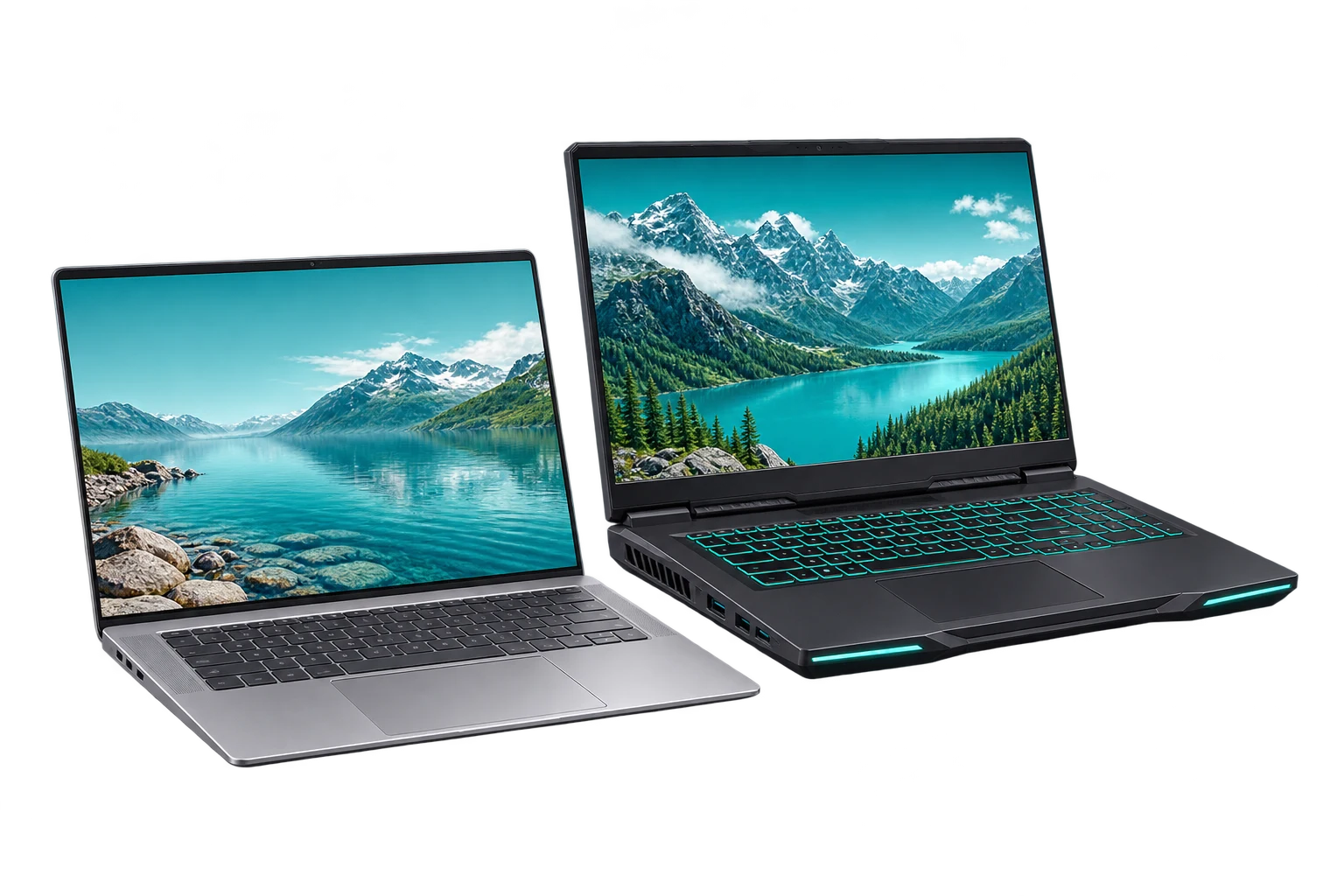
Silver productivity laptop beside a dark gaming laptop with aqua screens
Five configurationsOLED and IPS32GB optionDedicated graphics
AI-created concept illustration. Product listings below show retailer images.

By Laptop Den editorial · Updated November 15, 2026

Affiliate disclosure: We may earn a commission if you buy through links on this page. Prices are observed item prices in USD, before any applicable tax or delivery charges. Our comparisons are research-based, with no hands-on testing claims.

THE SHORTLIST

Laptops under $1,500 for productivity and gaming

The Zenbook is the memory-first productivity choice, while the Swift X adds dedicated graphics in a compact OLED format. Compare the Aurora and AERO for gaming after checking GPU power, storage needs and final prices.

Showing all 5 configurations. Offer information recorded November 4, 2026.

Best memory-first balance8.4/10
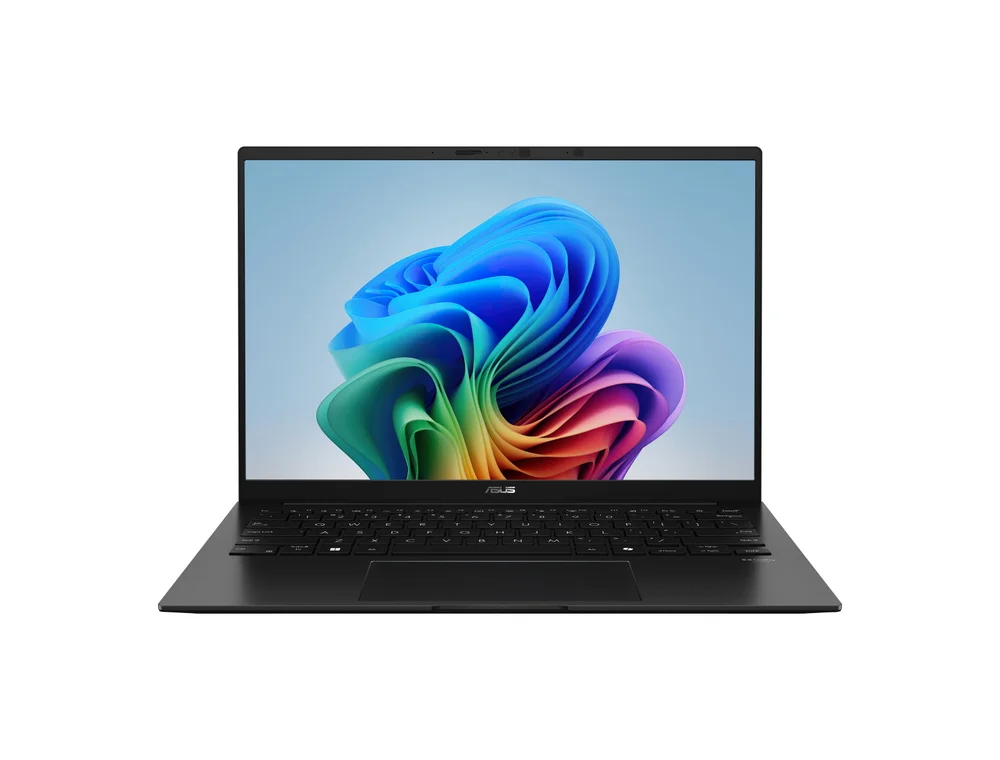
ASUS Zenbook 14 OLED

ASUS Zenbook 14 OLED

The largest RAM allocation in this shortlist accompanies a 1TB SSD and compact OLED touch display, giving everyday productivity a clear specification-led starting point.

Processor / graphics
Ryzen AI 7 445 / integrated Radeon graphics
Memory / storage
32GB RAM / 1TB SSD
Display
14-inch WUXGA OLED touch
$1,199.00New · Walmart.com
Read our assessment
Large convertible workspace8.0/10
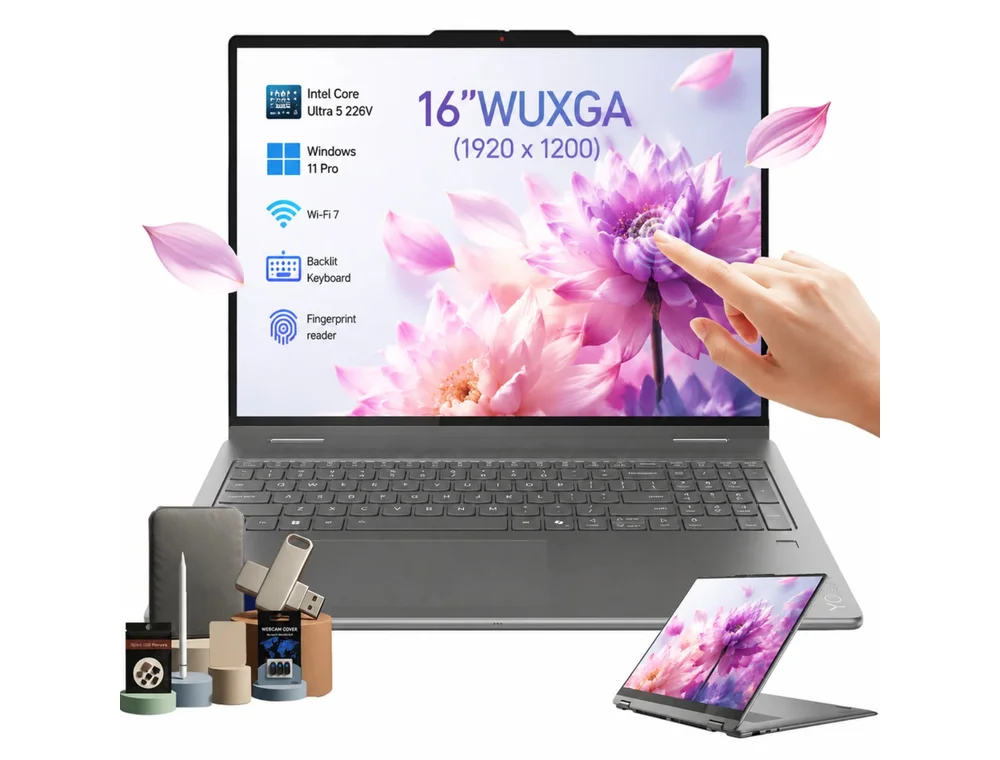
Lenovo Yoga 7i 2-in-1

Lenovo Yoga 7i 2-in-1

A 16-inch touchscreen and convertible hinge create a distinct working format, while 1TB storage helps balance the lower memory allocation against the Zenbook.

Processor / graphics
Core Ultra 5 226V / integrated graphics
Memory / storage
16GB RAM / 1TB SSD
Display
16-inch WUXGA IPS touch
$1,143.00New · Opu Sale
Read our assessment
Compact graphics-and-display balance8.3/10
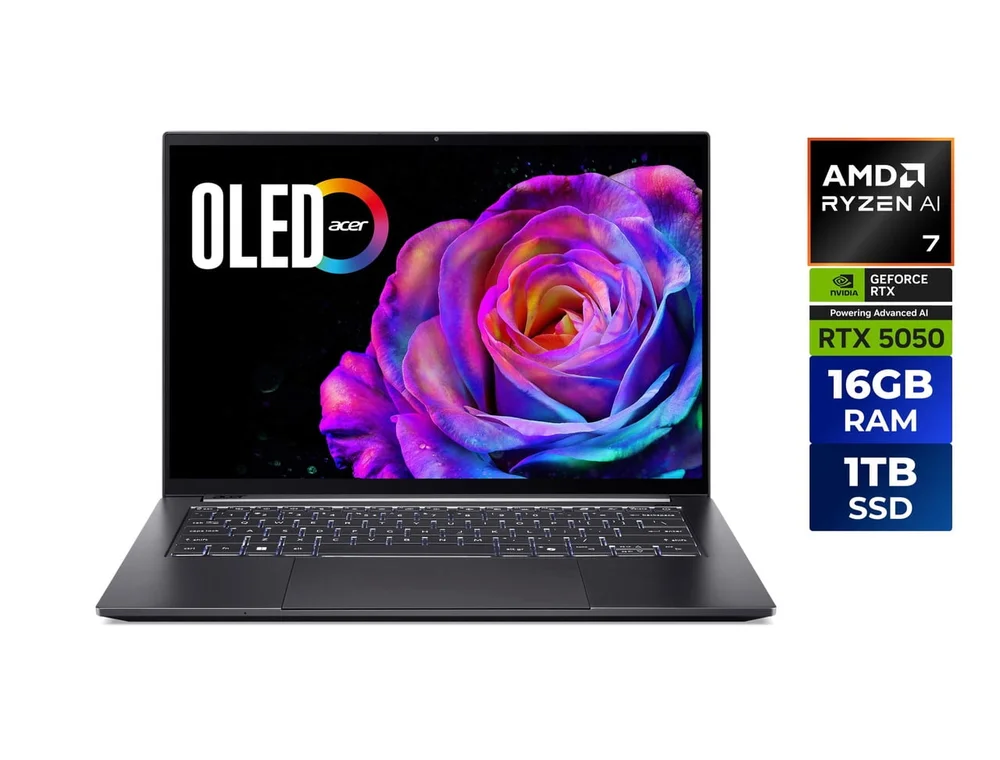
Acer Swift X 14 AI

Acer Swift X 14 AI

The Swift X brings dedicated NVIDIA graphics together with a high-resolution OLED touchscreen and 1TB SSD, exchanging the Zenbook’s extra memory for a different workload focus.

Processor / graphics
Ryzen AI 7 350 / RTX 5050 8GB
Memory / storage
16GB RAM / 1TB SSD
Display
14.5-inch 2880 x 1800 OLED 120Hz touch
$1,299.99New · Newegg Inc.
Read our assessment
Accessible dedicated-graphics choice7.9/10
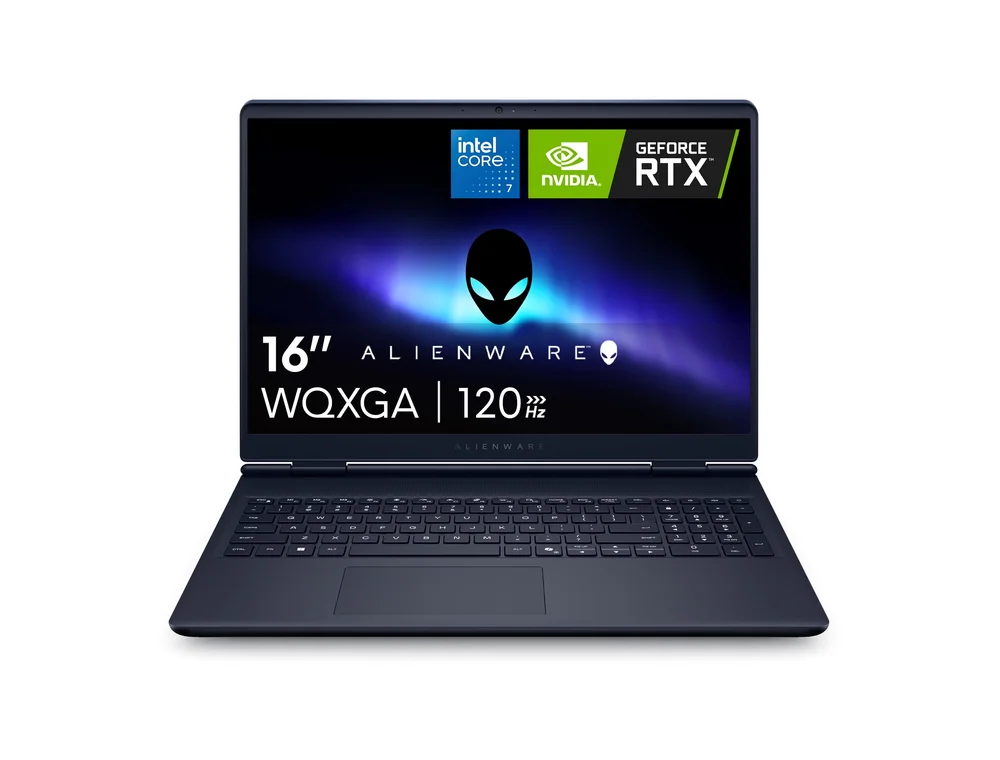
Alienware Aurora 16 AC16250

Alienware Aurora 16 AC16250

The lowest recorded price in this five-laptop group includes RTX graphics and a high-resolution 16-inch panel, with a smaller SSD than the productivity alternatives.

Processor / graphics
Core 7 240H / RTX 5050
Memory / storage
16GB RAM / 512GB SSD
Display
16-inch WQXGA 120Hz
$1,099.00New · Walmart.com
Read our assessment
Strong graphics-focused specification8.2/10
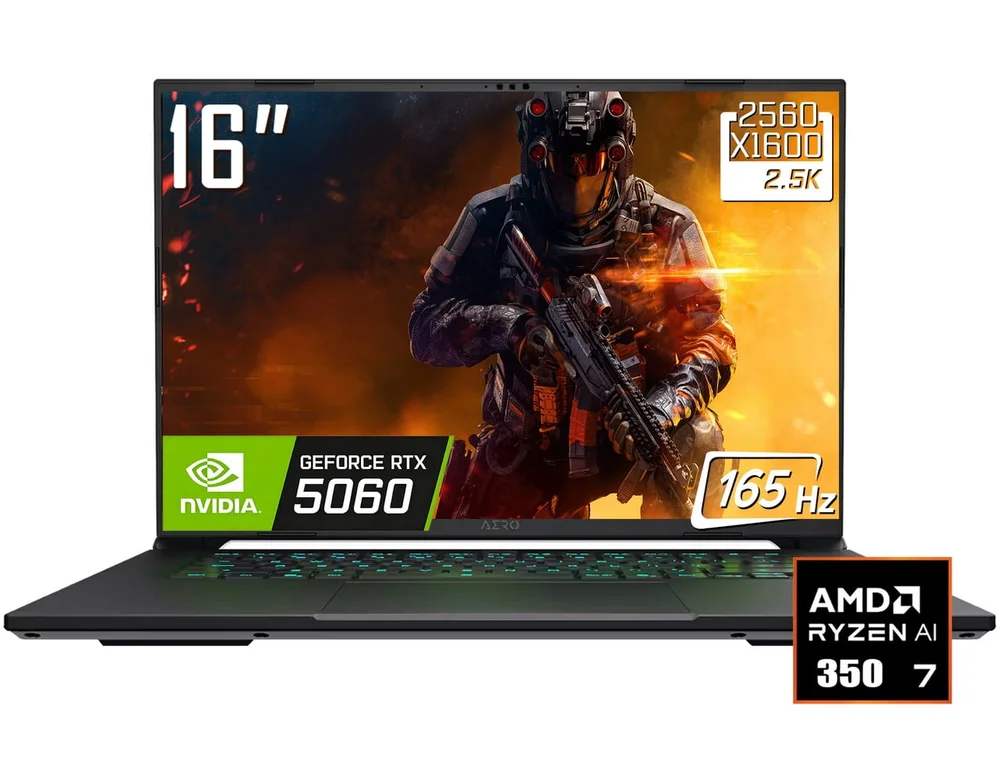
GIGABYTE AERO X16

GIGABYTE AERO X16

RTX 5060 graphics and a 165Hz high-resolution screen offer a focused alternative near the Zenbook’s price, trading away that model’s larger memory and storage.

Processor / graphics
Ryzen AI 7 350 / RTX 5060
Memory / storage
16GB RAM / 512GB SSD
Display
16-inch 2560 x 1600 IPS 165Hz
$1,197.62New · Rockystone Electronics LLC
Read our assessment

Scores reflect the listed specifications, intended use and recorded offer within this guide. How our scores work.

The details behind your shortlist.

The specifications, trade-offs and reasoning behind each score.

CONFIGURATION 01 / 05

Our memory-first everyday choice

ASUS Zenbook 14 OLED

Ryzen AI 7 445 / integrated Radeon graphics
ASUS Zenbook 14 OLED product image from the linked listing
Our assessmentHow we assess it
8.4/ 10
Editorial scoreBased on listed specificationsNo hands-on testing
Memory
32GB RAM
Storage
1TB SSD
Listed WUXGA touchscreen
14-inch OLED
Observed price · $1,199.00
NewWalmart.com · Walmart
View listing at Walmart (opens in a new tab)

Our memory-first everyday choice

The Zenbook is the memory-focused option below $1,500. It pairs 32GB with a 1TB SSD and OLED touch display, which makes sense for a compact productivity or photo workflow. Its integrated graphics distinguish it from the three dedicated-GPU options in this group.

The largest listed memory allocation leaves more room for applications and large working files.

How we assess this configuration

The recorded $1,199 places 32GB RAM and a 1TB SSD well inside the item-price ceiling. That capacity combination stands out against the 16GB alternatives and gives the Zenbook a strong productivity brief. Its OLED touchscreen is another identifiable feature, although color accuracy requires separate evidence. The score assumes integrated graphics meet the workload; a GPU-dependent application could make the Swift X or gaming configurations more appropriate.

This is an editorial assessment of the published specification and offer information recorded November 4, 2026. We have not measured performance, display accuracy, keyboard feel, fan noise or battery life. Confirm the exact model, software support and selected seller's terms before purchasing.

Configuration and purchasing details
Configuration shown
Processor
Ryzen AI 7 445
Graphics / platform
integrated Radeon graphics
Memory
32GB RAM
Storage
1TB SSD
Display
14-inch WUXGA OLED touch
Purchasing details
Listed seller
Walmart.com
Condition
New
Availability & delivery
Check retailer listing
Shipping & tax
Confirm at checkout
Returns & warranty
Check the selected seller's terms

Confirm the selected product, compatibility, seller and final total before ordering.

Offer information recorded Nov 4, 2026: Walmart listing (opens in a new tab). Prices, condition and availability may have changed.

Back to the comparison

CONFIGURATION 02 / 05

Larger convertible workspace

Lenovo Yoga 7i 2-in-1

Core Ultra 5 226V / integrated graphics

Lenovo Yoga 7i 2-in-1 product image from the linked listing
Our assessmentHow we assess it
8.0/ 10
Editorial scoreBased on listed specificationsNo hands-on testing
Memory
16GB RAM
Storage
1TB SSD
Listed WUXGA IPS convertible
16-inch touch
Observed price · $1,143.00
NewOpu Sale · Walmart
View listing at Walmart (opens in a new tab)

Larger convertible workspace

The Yoga is the option for buyers who want a large convertible touchscreen rather than a dedicated GPU. It keeps the 1TB SSD while halving the Zenbook memory allocation. The 16-inch format should be considered in both laptop and folded positions before deciding it suits frequent handheld use.

A 2-in-1 hinge and IPS touch panel support more working positions than a conventional clamshell.

How we assess this configuration

At the recorded $1,143, the Yoga offers a large convertible workspace and 1TB SSD for less than the Zenbook. Its 16GB RAM is a trade-off against that model's larger allocation, but the hinge and screen size may matter more for presenting or annotating documents. We score this configuration for that defined use case, with pen inclusion, model identity and license details still needing confirmation before purchase.

This is an editorial assessment of the published specification and offer information recorded November 4, 2026. We have not measured performance, display accuracy, keyboard feel, fan noise or battery life. Confirm the exact model, software support and selected seller's terms before purchasing.

Configuration and purchasing details
Configuration shown
Processor
Core Ultra 5 226V
Graphics / platform
integrated graphics
Memory
16GB RAM
Storage
1TB SSD
Display
16-inch WUXGA IPS touch
Purchasing details
Listed seller
Opu Sale
Condition
New
Availability & delivery
Check retailer listing
Shipping & tax
Confirm at checkout
Returns & warranty
Check the selected seller's terms

Confirm the selected product, compatibility, seller and final total before ordering.

Offer information recorded Nov 4, 2026: Walmart listing (opens in a new tab). Prices, condition and availability may have changed.

Back to the comparison

CONFIGURATION 03 / 05

Compact OLED with NVIDIA graphics

Acer Swift X 14 AI

Ryzen AI 7 350 / RTX 5050 8GB

Acer Swift X 14 AI product image from the linked listing
Our assessmentHow we assess it
8.3/ 10
Editorial scoreBased on listed specificationsNo hands-on testing
Memory
16GB RAM
Storage
1TB SSD
2880 × 1800 OLED touch
14.5-inch · 120Hz
Observed price · $1,299.99
NewNewegg Inc. · Walmart
View listing at Walmart (opens in a new tab)

Compact OLED with NVIDIA graphics

The Swift X is the compact creator-oriented compromise in this group. It gives up the Zenbook 32GB allocation but adds dedicated graphics and a higher-resolution OLED panel. That trade makes sense when your application uses the GPU and the listed memory is sufficient for your projects.

Touch, a 1TB SSD and a dedicated GPU appear together in one compact configuration.

How we assess this configuration

The recorded $1,299.99 buys a distinctive combination of RTX 5050 graphics, a 2880 × 1800 OLED touchscreen and 1TB storage. That makes the Swift X particularly relevant when the application benefits from a dedicated GPU in a smaller format. Its 16GB RAM limits the capacity comparison with the Zenbook, and graphics power behavior remains unmeasured here. The score rewards the configuration without assuming an upgrade path or calibrated display.

This is an editorial assessment of the published specification and offer information recorded November 4, 2026. We have not measured performance, display accuracy, keyboard feel, fan noise or battery life. Confirm the exact model, software support and selected seller's terms before purchasing.

Configuration and purchasing details
Configuration shown
Processor
Ryzen AI 7 350
Graphics / platform
RTX 5050 8GB
Memory
16GB RAM
Storage
1TB SSD
Display
14.5-inch 2880 x 1800 OLED 120Hz touch
Purchasing details
Listed seller
Newegg Inc.
Condition
New
Availability & delivery
Check retailer listing
Shipping & tax
Confirm at checkout
Returns & warranty
Check the selected seller's terms

Confirm the selected product, compatibility, seller and final total before ordering.

Offer information recorded Nov 4, 2026: Walmart listing (opens in a new tab). Prices, condition and availability may have changed.

Back to the comparison

CONFIGURATION 04 / 05

Lower-priced dedicated-graphics option

Alienware Aurora 16 AC16250

Core 7 240H / RTX 5050

Alienware Aurora 16 AC16250 product image from the linked listing
Our assessmentHow we assess it
7.9/ 10
Editorial scoreBased on listed specificationsNo hands-on testing
Memory
16GB RAM
Storage
512GB SSD
Listed WQXGA display
16-inch · 120Hz
Observed price · $1,099.00
NewWalmart.com · Walmart
View listing at Walmart (opens in a new tab)

Lower-priced dedicated-graphics option

The Aurora is the least expensive option in this five-model selection at the checked price. It provides dedicated graphics and a 2560 x 1600 display, while its 512GB SSD is the main capacity compromise. Budget for how you will store a growing game library.

The taller high-resolution panel offers useful desktop space beyond gaming.

How we assess this configuration

The Aurora's recorded $1,099 makes dedicated graphics and a 2560 × 1600 display available below the other offers in this shortlist. Its 16GB RAM is consistent with most of the group, while the 512GB SSD is the clear capacity sacrifice. We score it as an accessible starting point for a graphics requirement. Exact-game results and power limits are still needed to compare its RTX 5050 implementation with the Swift X.

This is an editorial assessment of the published specification and offer information recorded November 4, 2026. We have not measured performance, display accuracy, keyboard feel, fan noise or battery life. Confirm the exact model, software support and selected seller's terms before purchasing.

Configuration and purchasing details
Configuration shown
Processor
Core 7 240H
Graphics / platform
RTX 5050
Memory
16GB RAM
Storage
512GB SSD
Display
16-inch WQXGA 120Hz
Purchasing details
Listed seller
Walmart.com
Condition
New
Availability & delivery
Check retailer listing
Shipping & tax
Confirm at checkout
Returns & warranty
Check the selected seller's terms

Confirm the selected product, compatibility, seller and final total before ordering.

Offer information recorded Nov 4, 2026: Walmart listing (opens in a new tab). Prices, condition and availability may have changed.

Back to the comparison

CONFIGURATION 05 / 05

RTX 5060 with a 165Hz panel

GIGABYTE AERO X16

Ryzen AI 7 350 / RTX 5060

GIGABYTE AERO X16 product image from the linked listing
Our assessmentHow we assess it
8.2/ 10
Editorial scoreBased on listed specificationsNo hands-on testing
Memory
16GB RAM
Storage
512GB SSD
2560 × 1600 IPS as listed
16-inch · 165Hz
Observed price · $1,197.62
NewRockystone Electronics LLC · Walmart
View listing at Walmart (opens in a new tab)

RTX 5060 with a 165Hz panel

The AERO pairs RTX 5060 graphics with a 165Hz 1600p panel for a price close to the Zenbook. These are very different purchases: the AERO emphasizes graphics while the Zenbook offers more memory and storage. Start with the workload rather than choosing by whichever specification looks largest.

The listed IPS panel and dedicated GPU make it a focused gaming comparison against the Aurora.

How we assess this configuration

At the recorded $1,197.62, the AERO combines RTX 5060 graphics with a 2560 × 1600 IPS panel and a 165Hz refresh ceiling. That is a persuasive graphics-focused specification close to the Zenbook's price. It provides only 16GB RAM and a 512GB SSD, so the trade is substantial for capacity-heavy projects. Our score reflects the fit for a gaming brief, with exact-SKU power behavior and seller terms still to confirm.

This is an editorial assessment of the published specification and offer information recorded November 4, 2026. We have not measured performance, display accuracy, keyboard feel, fan noise or battery life. Confirm the exact model, software support and selected seller's terms before purchasing.

Configuration and purchasing details
Configuration shown
Processor
Ryzen AI 7 350
Graphics / platform
RTX 5060
Memory
16GB RAM
Storage
512GB SSD
Display
16-inch 2560 x 1600 IPS 165Hz
Purchasing details
Listed seller
Rockystone Electronics LLC
Condition
New
Availability & delivery
Check retailer listing
Shipping & tax
Confirm at checkout
Returns & warranty
Check the selected seller's terms

Confirm the selected product, compatibility, seller and final total before ordering.

Offer information recorded Nov 4, 2026: Walmart listing (opens in a new tab). Prices, condition and availability may have changed.

Back to the comparison

BEFORE YOU BUY

A higher budget.
A clearer priority.

These configurations spend the budget in different places. Decide whether the essential feature is memory, a convertible screen or a dedicated GPU.

AI-generated editorial image for Laptops under $1,500 for productivity and gaming
AI-generated editorial image. Product appearance and specifications should be checked against the actual listing.

Choose system memory deliberately

The Zenbook is the only listed 32GB configuration. The others have 16GB, even when their graphics card looks more powerful. For large projects or multiple working applications, check memory requirements before choosing a GPU upgrade that does not address the actual bottleneck.

Compare the screen you will use

The Yoga provides a larger IPS touchscreen and convertible hinge. The Swift X offers a smaller high-resolution OLED touch panel with dedicated graphics. The gaming models use 16-inch displays. Screen technology, resolution and physical size should all fit your daily work.

Keep storage in the game budget

The Aurora and AERO list 512GB SSDs while the other three have 1TB. Large games and project files can make that difference significant. Check the exact expansion options and costs before treating a smaller drive as a problem you can automatically fix later.

Compare what the extra budget buys

Our under-$1,000 shortlist helps identify whether the additional spend solves a real need. If photography is the focus, compare the same hardware through our Photoshop laptop guide rather than a gaming-first lens.

OUR APPROACH

How our scores work

A score for the listed product and the needs covered by this guide.

We consider the processor and graphics, memory, storage, display, condition and recorded price. Each product's assessment explains the reasons for its score and the details still needing confirmation.

Scores in the 8s indicate a strong fit on paper within the shortlist. Scores in the 7s reflect meaningful compromises; lower scores flag narrower use cases, weaker value or substantial uncertainty. Scores depend on the guide's purpose and the selected offer, so the same product may score differently in another comparison.

These are editorial judgments based on published information. We have not performed hands-on testing. Offer information was recorded November 4, 2026; current price, seller, condition and availability must be checked.

COMMON QUESTIONS

The details
worth checking.

Which laptop under $1,500 is the productivity starting point?

The Zenbook 14 is our memory-first starting point because it lists 32GB RAM and a 1TB SSD. Choose it when integrated graphics meet the workload. The Swift X adds dedicated NVIDIA graphics but has half the listed system memory.

Which configuration is the least expensive here?

The Alienware Aurora had the lowest checked item price among these five offers. It includes dedicated graphics and a WQXGA panel, but the 512GB SSD is a capacity compromise. Compare the final checkout price and the exact selected configuration.

Should I choose RTX 5060 over RTX 5050?

Use exact laptop evidence rather than the GPU number alone. Power limits, cooling and the intended game settings affect results. The AERO also has less storage than the Swift X, so a graphics preference should be weighed against the whole configuration.

Is the Yoga 7i a gaming laptop?

The selected Yoga uses integrated graphics and emphasizes a convertible touchscreen. It may suit lighter games, but it is not the equivalent of the dedicated-GPU options here. Check individual game requirements before choosing its flexible hinge over graphics capability.

Are these prices complete checkout totals?

No. They are observed item prices before applicable tax or delivery charges. All five were below $1,500 at the time of checking, but a strict total budget needs a margin. Prices and selected marketplace sellers can change.

Can I upgrade the 16GB models to 32GB later?

Do not assume a shared upgrade path. Memory can be soldered or use model-specific modules, and seller modifications may affect support terms. Check the exact SKU documentation before buying. If 32GB is essential now, choose a verified 32GB configuration.

A PLACE TO START

ASUS Zenbook 14 OLED

8.4/10Best memory-first balance

The Zenbook is the memory-first productivity choice, while the Swift X adds dedicated graphics in a compact OLED format. Compare the Aurora and AERO for gaming after checking GPU power, storage needs and final prices.

Review the configuration
ASUS Zenbook 14 OLED